Operational workflow
Translate the real process into clear stages, assignments, approvals, statuses, exceptions, and next actions without hiding business rules inside employee memory.

Custom business software
When spreadsheets, disconnected subscriptions, paper processes, and generic software start controlling the way a business works, Hullinger Digital can design a purpose-built system around the real operation. The result may include secure accounts, customer records, workflows, files, financial views, messaging, payments, reporting, integrations, and automation—delivered in controlled phases.
When generic tools stop fitting
Purpose-built capability
Translate the real process into clear stages, assignments, approvals, statuses, exceptions, and next actions without hiding business rules inside employee memory.
Create secure customer, employee, partner, or administrator experiences with role-appropriate records, requests, messages, files, and account controls.
Connect approved estimates, invoices, payment collection, subscriptions, refunds, payment status, and owner-facing operational reporting when the business model requires it.
Capture, organize, retrieve, replace, and preserve business files, images, receipts, reports, agreements, and supporting history around the correct customer or work item.
Connect supported providers and automate responsible handoffs, notifications, reminders, data capture, and repetitive steps while preserving human control where judgment matters.
Surface what is active, late, blocked, unpaid, incomplete, or unusual so the system helps people act instead of merely storing information.
First-party product proof
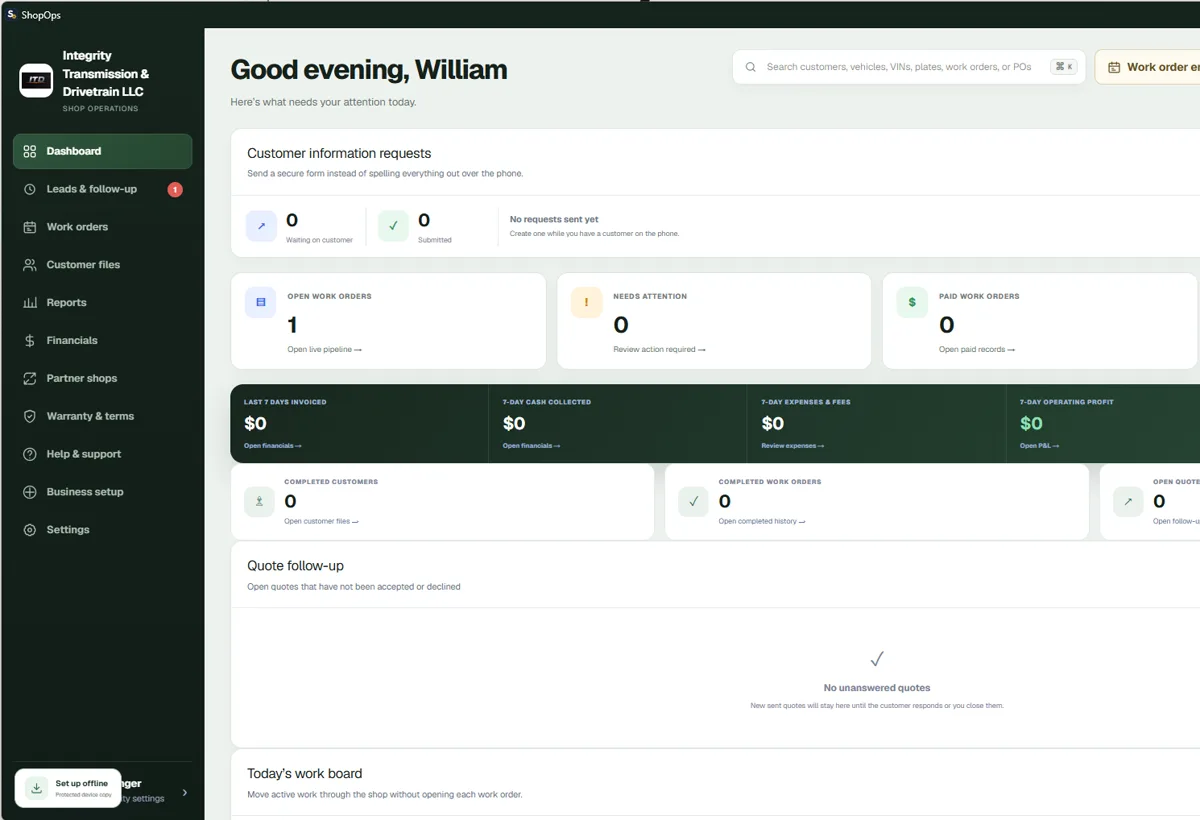
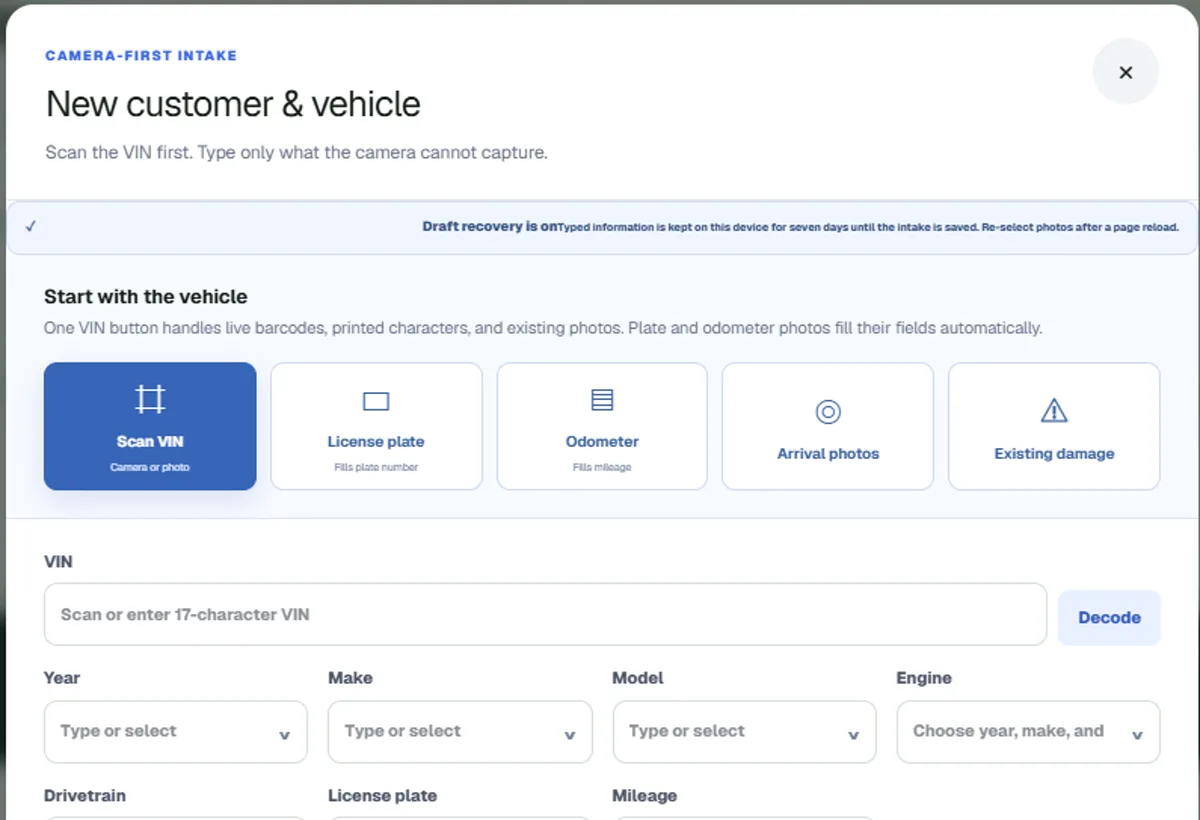
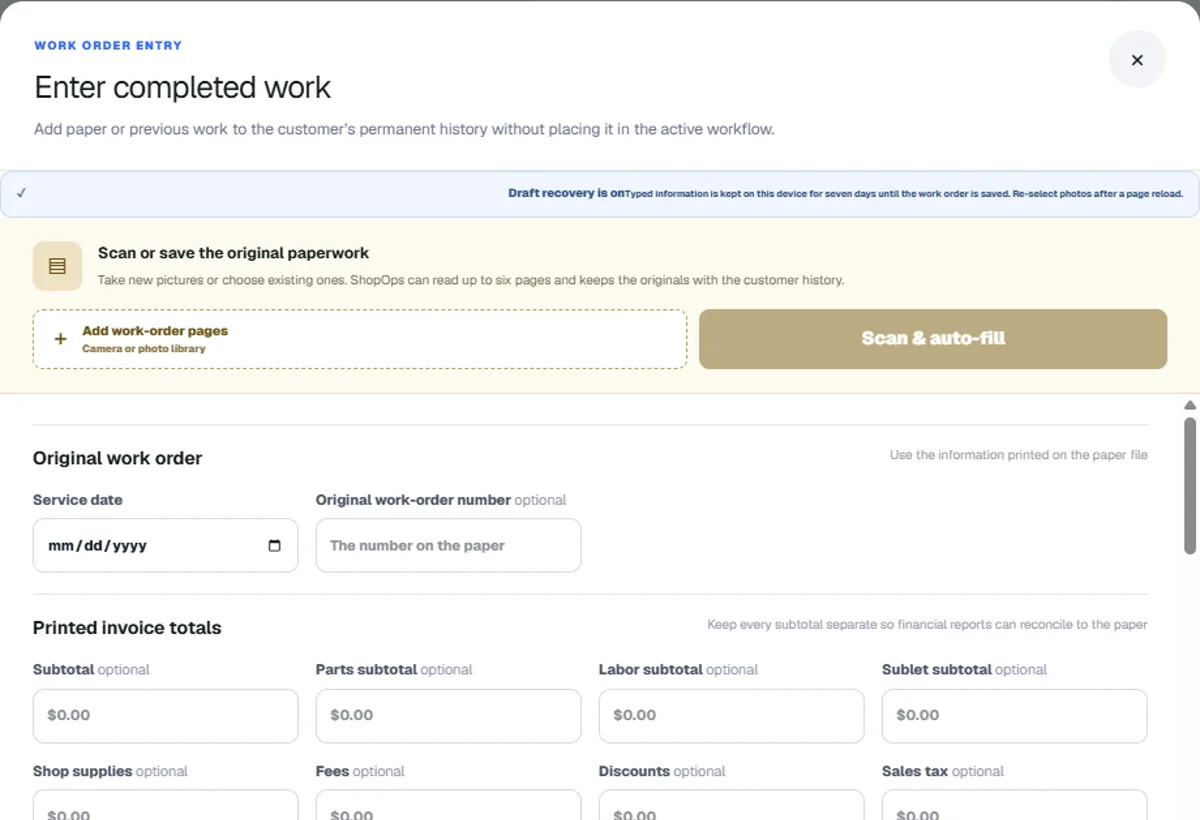
ShopOps is Hullinger Digital's own evolving business-software product. These sanitized product screens demonstrate real work across owner operations, customer and partner workflows, records, files, payments, and reporting. They are not presented as a client case study or a claim of customer results.
A controlled product process
Document users, records, decisions, handoffs, exceptions, security boundaries, current tools, and the business outcome the system must improve.
Separate the essential workflow from desirable future capabilities, choose the smallest coherent product, and define acceptance criteria before development.
Design and implement the approved workflows, data model, roles, interfaces, integrations, and audit behavior with regular review using realistic scenarios.
Test permissions, records, devices, failure states, backups, provider behavior, and real user workflows before expanding the system responsibly.
Good fit
No. Existing software is usually the better choice when it fits the workflow, security, integrations, and economics. Custom development becomes defensible when the operational gap is important, persistent, and valuable enough to justify ownership and maintenance.
Often, when the provider offers an appropriate supported API or integration method. Discovery confirms permissions, data ownership, rate limits, costs, security requirements, and failure behavior before an integration is promised.
Yes, when those experiences are part of the approved scope. Responsive web applications can support phones and desktops; installable or native behavior depends on the actual device, offline, camera, notification, and distribution requirements.
Custom software is scoped after operational discovery. Cost depends on users, workflows, records, permissions, integrations, automation, migration, compliance needs, testing, hosting, and ongoing support. Hullinger Digital does not assign a generic fixed price before understanding those boundaries.
Start with the workflow